Trezor Model T - Hardware Wallet Review
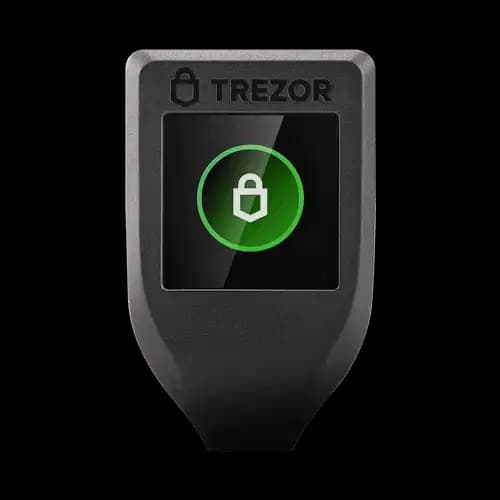
Best For
Weirdo's Favorite
The best Hardware Wallet for heavy users.
Pros
- Color touchscreen available
- Open-source firmware
- Store cryptocurrency, passwords and other keys
- Super secure and easy to use, also of EAL5+ certificate
Cons
- No mobile application
- More expensive
- No Bluetooth
- Plastic case
Disclosure: We earn affiliate commissions on some products linked here. This never affects our rankings.
Affiliate link — we may earn a commission at no extra cost to you.
Trezor Model T Review: The Premium Touch-Screen Hardware Wallet
The Trezor Model T is the flagship hardware wallet from Czech manufacturer SatoshiLabs — the company that invented the hardware wallet category in 2013. With a full colour touchscreen and support for 1,800+ coins, it is one of the most capable and trusted hardware wallets available.
Background
SatoshiLabs was founded in Prague by Marek "Slush" Palatinus, Pavol "Stick" Rusnák, and Alena Vránová. After launching the original Trezor One (the world's first hardware wallet) in 2013, the company released the Model T in 2018 as a premium upgrade with a touchscreen interface.
Hardware
The Model T features:
- 2.4-inch full colour touchscreen — all interactions via the screen (no physical buttons needed for most operations)
- USB-C connector for computer connection
- MicroSD card slot for encrypted storage and future features
- CC EAL5+ equivalent security (SatoshiLabs uses an open-source implementation rather than a proprietary Secure Element chip)
- Open-source hardware and firmware — fully auditable by the community
Supported Coins
The Model T supports 1,800+ cryptocurrencies, including:
- Bitcoin, Ethereum, Litecoin, XRP, Cardano, Solana (via Solflare), Monero
- All ERC-20 tokens, BEP-20 tokens
- DeFi connectivity via MetaMask and WalletConnect
Security Architecture
Trezor takes a different security approach from Ledger:
- No proprietary Secure Element — instead uses open-source cryptographic approach
- Fully open-source firmware — security through transparency and community auditing
- PIN + passphrase: Secure access with optional BIP39 passphrase for hidden wallets
- Shamir Backup (SLIP39): Advanced recovery option using multiple shares (e.g., 3 of 5 shares needed to recover)
Trezor Suite
Trezor Suite is the companion desktop app (Windows, Mac, Linux) and web interface:
- Portfolio management
- Sending/receiving crypto
- Coin join (privacy mixing for Bitcoin)
- Buy/sell/exchange via partners (Invity.io)
- Tor integration for enhanced privacy
Model T vs Trezor One vs Ledger Nano X
| Feature | Model T | Trezor One | Ledger Nano X |
|---|---|---|---|
| Price | $219 | $69 | $149 |
| Screen | Touchscreen | 2 buttons | 2 buttons |
| Open source | Full | Full | Partial |
| Secure Element | No (open-source) | No | Yes (CC EAL5+) |
| Supported coins | 1,800+ | 1,000+ | 5,500+ |
Verdict
The Trezor Model T is the best choice for security-conscious users who prioritise open-source transparency. The touchscreen improves the verification UX, and Shamir Backup is an excellent recovery option for advanced users. If open-source hardware and firmware matter to you, the Model T is the gold standard.
- Fully open-source hardware + firmware
- Touchscreen for better UX
- Shamir Backup (advanced recovery)
- Coin join / privacy features
- No certified Secure Element chip
- Higher price ($219)
- Larger form factor than competitors
Maja & Leo
Reviewed by practitioners who actually use these products.
Related
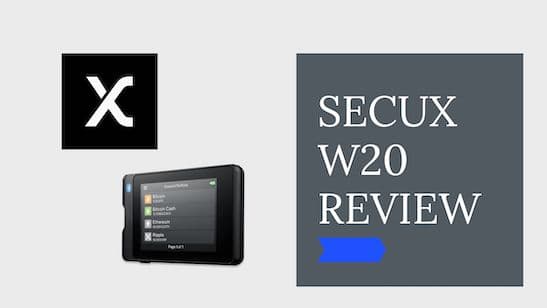
SecuX W20 Review
SecuX W20 Review
Trezor One vs Model T — Detailed Comparison
The Trezor Model T is the better choice for frequent users thanks to its color touchscreen and advanced security features, while the Trezor One is a solid, budget-friendly cold storage option.
Best for: Best for everyday crypto users and traders who want a premium experience; Trezor One suits budget-conscious HODLers or those wanting a backup device.
Related Posts
Best Crypto Airdrops 2023
This article is about rumors and speculations about some of the most profitable Crypto Airdrops 2022. Airdrops are a great way to get started to build an initial capital in Cryptos or also to get some free money.
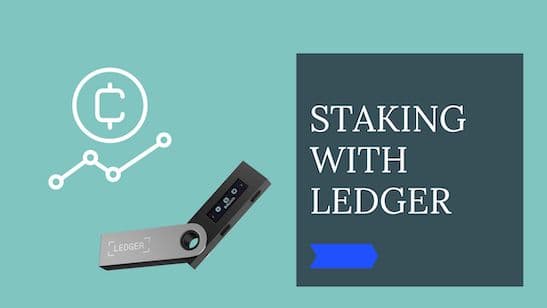
Cold Staking - How to stake with Ledger Hardware Wallet
Step-by-step guide to staking crypto in Ledger Live. Earn passive rewards on proof-of-stake coins while keeping your assets in cold storage.
Cold Staking - How to stake your crypto coins with BitBox02 Hardware Wallet
Learn how to stake your crypto coins with the BitBox02 Hardware Wallet. Staking is a process which rewards holders of Proof-of-Stake (PoS) coins for keeping their wallets open and connected to the network. Find out more in this article.
Get notified when we update this review
No spam. Just a heads-up when something changes.
No spam. Unsubscribe anytime.