Trezor One vs Model T — Detailed Comparison Review
Best For
Best for everyday crypto users and traders who want a premium experience; Trezor One suits budget-conscious HODLers or those wanting a backup device.
The Trezor Model T is the better choice for frequent users thanks to its color touchscreen and advanced security features, while the Trezor One is a solid, budget-friendly cold storage option.
Pros
- Both are fully open-source — firmware is auditable by anyone
- Model T has a 240x240 color touchscreen for easy address verification
- Model T supports 1800+ coins vs 1000+ on Trezor One
- Model T includes password manager and U2F two-factor authentication
- Model T allows full on-device seed recovery without a potentially compromised keyboard
- Both are batteryless and powered via USB
Cons
- Trezor One requires keyboard for PIN/seed entry (keylogger risk)
- No Bluetooth on either model
- Neither has a Secure Element (SE) chip
- Model T is significantly more expensive ($169.99 vs $59)
- SD card slot on Model T not yet fully functional
You are into Cryptocurrencies, you are HODLing, trading, or both, then at the moment, the best option to keep your digital assets secure is to use Cryptocurrency hardware wallets.
With your hardware wallet, you can access and manage your digital assets according to your own needs, no matter where you live, where you were born, and how much technical education you have. You are your own bank.
My name is Leo, and I had my first contact with Bitcoin and Cryptocurrencies in 2013 and have a background in Computer Science. I am using both Trezor One and Trezor T models myself and give you my in-depth personal insights.
Both models offer excellent security features, which are best for needs depending on the use case and individual needs. My personal winner is the Trezor T because of its incredible display and additional security features. This model is just better for a more frequent user.
I reviewed the two products based on
- Security
- Hardware
- Basic Features & Advanced Features
- Supported Cryptocurrencies
- Initial Setup
- Price
In this review, we will have a close look at the Trezor Model T and the Trezor Model One. The model T is newer with updated hardware and more expensive.
Let's jump into the review.
Trezor One vs. Model T: Overview
Trezor One was launched just four years after Bitcoin was introduced and, therefore, the first available hardware wallet.
Satoshi Labs started the Trezor Hardware Device project in 2014 in Prague, Czech Republic. The founder and creator of Trezor is Marek Palatinus. Marek is well known in the Crypto Scene for his mining pool, Slush pool.
Both hardware devices run on open-source code. As a Trezor user, you have the option to verify the source code and even customize your firmware. You can run your own full node wallet without any relation to Satoshi Labs.
Trezor One
Trezor One was the first hardware wallet created in 2011 by the Satoshi Labs team.
The idea was to create a simple and easy-to-use Bitcoin cold wallet. The wallet is still very popular and widely spread and a good starter model if you have a limited budget.
Trezor Model T
The flagship of Trezor's Physical devices to store your digital assets is the Trezor Model T. It is the more advanced next-generation hardware wallet.
It is a combination of powerful hardware with a modern touchscreen-based user interface.
Trezor One vs. Model T: Hardware
Let's compare the hardware. Both devices are batteryless and powered by USB.
Trezor One
The hardware wallet case is made of ABS plastic, which protects against physical damage. ABS is known to be very resistant against physical impacts and chemical corrosion.
The model has an ARM Cortex-M3 processor, which runs on 120 MHz. The microcontroller is an STM32 F2.
The hardware allows secure and smooth access to your digital crypto assets.
Trezor Model T
The case of the wallet is made of reinforced ABS+PC plastic. The model T has an ARM Cortex-M4 processor with 168 MHz and an STM 32 F4 microcontroller built-in.
There is also a built-in SD-card slot. The storage will allow you to have onboard encrypted storage in the future. At the moment, you can use the SD memory card to encrypt your PIN.
The onboard Micro USB-C port is compatible with any computer. You can also use the port to connect your Android mobile device.
Trezor One vs. Model T: Security
One of the main reasons to have a cold wallet is to keep your crypto assets protected; let's look at the security features.
Cold Storage
The Trezor crypto hardware wallets are functioning as cold storage. Private keys remain offline all the time, even if the wallet is connected to a device with an internet connection. The private key is stored on the microprocessor.
Recovery Seed
The recovery phrases or recovery seeds are 12, 18, or 24 words long. The creation of the seed happens totally offline. The seed secures all private, public keys and addresses.
If you need to restore your Trezor T, you can use the touchscreen and restore the device. On the Trezor One, you need a keyboard for this procedure, which makes it possible to run an attack with a keylogger. An implausible scenario, but possible.
Pin Code
The Pin Code is another layer of protection of your crypto assets if somebody gets physical access to your wallet. Even if someone gains access to your wallet, they still need a PIN Code.
The PIN is 4 to 9 digits long, and the device resets after multiple failed attempts to enter the personal code.
If you forget your PIN Code, you can reset the device and recover all your assets with your recovery seed.
Address Verification
When you send or receive crypto assets, you need to confirm the address on the screen. Because of the high-end color touchscreen on the Trezor Model T, the address is much easier to read than on the Trezor One. If you are a more advanced user and are doing many transactions, the Model T may be the better option.
Password Manager and U2F
The Trezor Model T also offers password managers and two-factor authentication devices (U2F).
U2F is a one-time password generator that helps you secure your favorite web applications.
The password manager of the Model T remembers the login URL and the password information. The Trezor will enter the password for you.
The U2F and the password manager helps to make a secure login to Twitter, Google, Github, and many more services are very easy.
Trezor One vs. Model T: Features & Functionality
Both devices run on Windows 7+, Linux, macOS 10.11+ and make it possible to have your private bank in your hand and make secure a transaction at any time from anywhere.
Trezor Wallet was replaced by Trezor Suite. With the Trezor Suite, you have a way more robust interface for desktop and web at hand.
Besides sending and receiving your digital assets, the Trezor versions have way more to offer.
You can also sign and verify encrypted messages and use the incorporated exchange.
Both models support ERC20 Tokens and other popular native coins, which means that you do not need to use interfaces like MyEtherWallet or MyCryptoWallet.
Both models support hot wallets like Metamask or Exodus. Through Exodus, you can also stake some of your crypto assets.
Trezor One
The Trezor One has a built-in 128x64 pixel OLED display.
The Trezor comes with two buttons to navigate through your device.
The trusted display allows verifying the authenticity of displayed information to rule out potential malicious attempts to manipulate.
Trezor Model T
The main advantage is the color touchscreen. The larger screen increases the usability and accessibility a lot and gives a security advance during the recovery seed process. The whole recovery process via a screen. There is no need to use a potentially compromised device.
The Model T also comes with an SD slot on board. The slot is not fully functional yet, but features like onboard encrypted storage will be included. The card will never store passphrases, recovery seeds, or any private keys.
Trezor One vs. Model T: Supported Cryptocurrencies
Besides Bitcoin and Ethereum, the Trezor One supports over 1000 Coins and Tokens, while the premium model Trezor Model T supports over 1800 coins and tokens. Many of them ERC20 Tokens. The cheaper Trezor supports fewer currencies than the model T. For example, Cardano (ADA), Ripple (XRP), Tezos (XTZ), Monero (XMR), EOS (EOS) are not supported by the Trezor One.
Trezor Wallet Software: Initial Setup
Setting up your Trezor device
Step 1: Start the setup process by connecting your Trezor device to your computer using a USB cable. Push till you feel a slight click.
Step 2: After connecting your original hardware wallet, visit https://trezor.io/start/ and select your Trezor model.
Step 3: Download and install the Trezor Bridge. This application is needed to make your Trezor device and your computer communicate. The Trezor Bridge runs in the background and does not need any interaction.
Step 4: Install the latest firmware. If the firmware is already installed on your device, do not use the Trezor and contact the SatoshiLabs Customer support.
Step 5: Create a new wallet. The device will generate a new and unique seed holding all your accounts and addresses.
Congrats, your Trezor is ready to use.
Create a Backup
Create a backup in 3 minutes and write down your recovery seed. You can do so on a paper wallet. The seed will be presented twice and then never again to you. Write down every word in the correct order and do not make any digital copy.
A paper wallet is a piece of paper containing your seed phrase of private keys.
Name your Device
Give your device a name so that you can easily identify it. This is especially useful if you use multiple hardware wallets.
Set up a PIN
Your personal PIN can be 4 to 9 digits long and adds another layer of security. If somebody gets physical access to your hardware wallet, the pin keeps them from gaining access to your cryptocurrencies.
Master the Essential Trezor Operations
Use your Trezor and master the basic operations like
- switch between cryptocurrencies
- receive transactions
- make payments
- personalize the home screen
Stay Safe
Choose your personal unique, and strong PIN with at least 4 to 6 digits.
Keep your recovery seed safe. Your seed is your express pass to your funds. If the seed is stolen, lost, or destroyed, you can not access your funds anymore, or better, somebody else can access them. Keeping your seed in a safe and easy-to-remember location is absolutely crucial.
It would be best to always write your recovery seed on a piece of paper or another durable surface with a lasting marker. Do not make any digital copies of your recovery seed, and never store it on your computer.
If you are an extra careful user, you may want to store your seed in a fireproof safe, or get a stainless steel backup solution like the Billfodl. It allows you to store your 24-word backup seed on material that is much more resistant to fire, electricity, water, and other potential dangers to your backup seed.
Trezor One vs. Trezor Model T: Price
| Model | Price (USD) |
|---|---|
| Trezor One | 59 |
| Trezor Model T | 169.99 |
Trezor One comes in black, white, and a limited metallic aluminum version.
Trezor Model T comes in a stylish black version.
A bundle pack is also available that includes a Model T, a backup Trezor One, and a stainless steel Cryptosteel tool to store backups of private keys.
Conclusion
It is hard to say which wallet is better. It really highly depends on expectations and needs. But both wallets are great and will not disappoint you.
Both versions have a simple-to-navigate interface, are easy and quick to set up, and have very high-security standards.
The Model T is designed for everyday use, easy access to coins, and digital data. It does not come with physical buttons and can be entirely operated via the colored touchscreen.
Trezor One is perfect for smaller budgets or for using your hardware wallet to store your digital assets when you are not planning to do daily transactions. Some people also use the Trezor One as a backup device for the Trezor Model T.
Both devices offer excellent protection against any remote hacking method. Get started to protect your cryptocurrency assets and buy your hardware wallet today.
Maja & Leo
Reviewed by practitioners who actually use these products.
Related
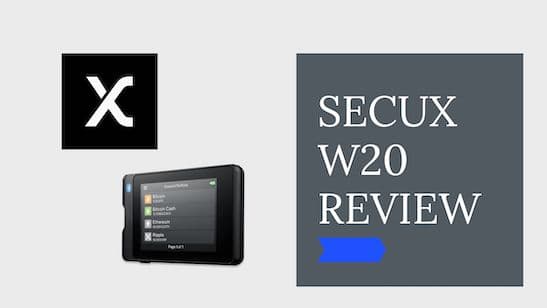
SecuX W20 Review
SecuX W20 Review
Trezor vs Ledger — Detailed Comparison
Both Trezor and Ledger offer excellent hardware wallets with strong security, but Trezor Model T wins for frequent traders thanks to its color touchscreen and additional security features.
Best for: Best for frequent crypto traders and users who value open-source software; Ledger suits cold-storage holders on a tighter budget.
Related Posts
Best Crypto Airdrops 2023
This article is about rumors and speculations about some of the most profitable Crypto Airdrops 2022. Airdrops are a great way to get started to build an initial capital in Cryptos or also to get some free money.
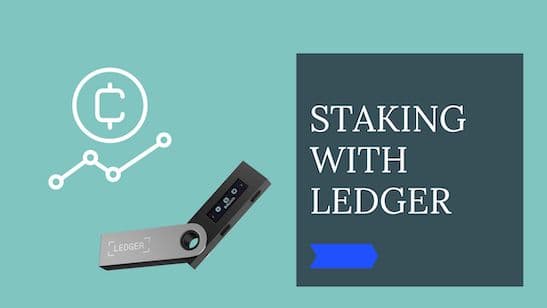
Cold Staking - How to stake with Ledger Hardware Wallet
Step-by-step guide to staking crypto in Ledger Live. Earn passive rewards on proof-of-stake coins while keeping your assets in cold storage.
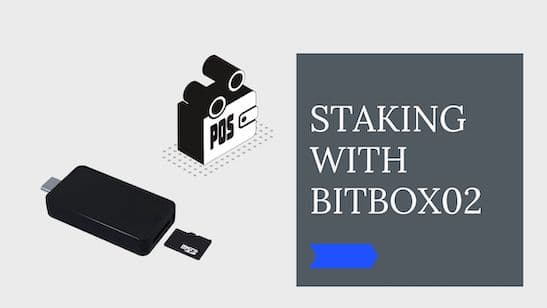
Cold Staking - How to stake your crypto coins with BitBox02 Hardware Wallet
Learn how to stake your crypto coins with the BitBox02 Hardware Wallet. Staking is a process which rewards holders of Proof-of-Stake (PoS) coins for keeping their wallets open and connected to the network. Find out more in this article.
Get notified when we update this review
No spam. Just a heads-up when something changes.
No spam. Unsubscribe anytime.