KeepKey Review
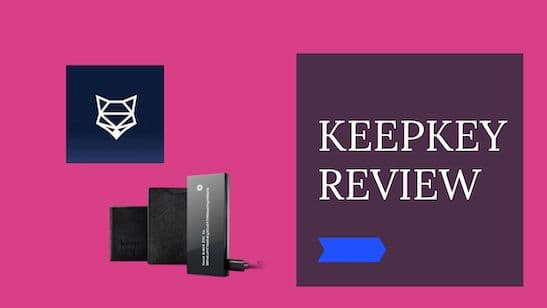
Best hardware wallet for a small budget.
Pros
- Secure hardware wallet
- Easy to use software
- Very affordable
- Large display: Ideal for viewing long addresses
- Aluminum Case
- Open Source
- Integration with ShapeShift non-custodial exchange
Cons
- It supports a limited amount of currencies compared to other wallets
- It can be heavy and bulky to carry around
- It does not work with iOS
- No Bluetooth support
Disclosure: We earn affiliate commissions on some products linked here. This never affects our rankings.
Affiliate link — we may earn a commission at no extra cost to you.
KeepKey is a well-known hardware wallet supporting over 40 different cryptocurrencies. In a nutshell, it's an easy-to-use, sleek, and affordable wallet that keeps your assets safe.
This review will go through the essential traits of cryptocurrency wallets to see if KeepKey is a good option for you. We will look at the main features, security, ease of use, price, and other functionalities that will help you decide.
We are digital nomads using and testing cryptos, hardware, and software around them and their real-life applications. We are using different hardware wallets to store our cryptos, and we were excited to look into the following cold wallet on our list - KeepKey.
Let's go right into it!
At a Glance
Wallet Specifications: KeepKey Review
| Company behind KeepKey | Shapeshift |
| Wallet Type | Hardware wallet |
| Coins Supported | 40+ tokens |
| Wallet Integration | Electrum, Mycelium, MyEtherWallet |
| Device Support | Windows, macOS, Linux, Android |
| Dimensions | 38 x 93.5 x 12.2 mm |
| Weight | 53 gr |
| Display | Yes |
| Connectivity | USB |
| Screen resolution | 256x64, OLED screen display |
| Backup form | 12-word security phrase |
Overview
KeepKeywas founded in 2015 in the US by entrepreneur Darin Stanchfield and was acquired by Shapeshift, a known Swiss crypto exchange, in 2017. Shapeshift was founded in 2014 in Switzerland by Erik Voorhees.
KeepKey is one of Shapeshift's popular products. The wallet's integration with the Shapeshift exchange API allows you to exchange crypto assets using the KeepKey device.
The wallet supports over 40 different crypto assets, and interestingly, in the beginning, the price was significantly higher - $239, compared to the current price - of $49. This price makes it one of the more affordable hardware wallets on the market.
Since we already like the price, let's look into some features to see what KeepKey has to offer.
Features and Ease of Use: KeepKey Review
Image Credit: shapeshift.com
Design & User Friendliness
KeepKey is a reasonably simple wallet with a very straightforward design and is easy to use. It consists of one button meant to communicate with the device and confirm commands. The rest of the device is managed through the app, like entering the PIN code and setting up the recovery seed. The device does not have a touchscreen.
While the wallet's design looks sleek and modern, we have to point out its size as it's one of the biggest on the market of hardware wallets. While this is convenient for the widescreen where you can easily see your crypto address, it is not so much for carrying it around. As digital nomads, we prefer smaller and more compact wallets like Ledger or Trezor. But it depends on what you want to do with your wallet.
The device is sturdy and has a massive screen with a polycarbonate casing that protects your device from physical damage.
Supported Coins
KeepKey supports a limited number of cryptocurrencies for now. While they support the bigger, known ones like Bitcoin, Bitcoin Cash, Ethereum, LiteCoin, and some ERC-20 tokens, you will not be able to store more alternative tokens.
So Keepkey is excellent if you are a beginner looking for an affordable and safe wallet to start by diving in with the most available coins. However, if you are looking for a hardware wallet where you can store more alternative currencies, we would recommend some other known players on the market like Ledger, Trezor, or BitBox02.
Making Transactions
All transactions are done through Shapeshift app, and sending and receiving assets is easy and fast.
For sending, you need to click Send, select the asset you want to send from the list, enter the amount, and confirm the transaction by confirming your PIN.
For receiving, you click Assets from the sidebar and select the asset you want to receive. After clicking the Receive button, you will see a scannable QR code and a shareable receiving address.
You must confirm your PIN every time you send the funds to verify the transaction.
Compatibility With Wallets
KeepKey is compatible with the following software wallets Mycelium, MultiBit, MyEtherWallet, and Electrum wallets.
Security and Privacy: KeepKey Wallet
As already known by now, KeepKey is a hardware wallet that makes it a secure offline cold storage for your crypto assets. But, let's look in detail at how safe KeepKey is.
KeepKey wallets are packed in a tamper-proof wrap when you receive them. Before opening the tag, always check if the security seal is damaged. If the seal is not broken, then you are safe.
Besides being an offline (cold)storage, KeepKey is protected with a PIN code and backed with a 12-word recovery phrase that you generate when setting up the wallet. You can use the code to recover your private keys in case your device gets lost or compromised.
Make sure to save the recovery phrases in a safe and offline place. You don't want to be a reason for losing your assets while being sloppy with the security.
For an additional layer of protection, you can enable the BIP39 Passphrase in the Shapeshift platform. This is an additional security word you can add to your recovery phrase, and it's not stored on the device. However, it's important to note that forgetting/losing your passphrase and/or 12-word code will result in losing access to your funds. So you should be careful when setting it up.
Eасh trаnѕасtіоn rеԛuіrеѕ уоu tо enter your KеерKеу PIN and mаnuаllу аррrоvе each trаnѕасtіоn using the button оn thе wallet before it is sent.
Price: KeepKey Wallet
Currently, the KeepKey wallet costs a fair 49 USD, making more affordable hardware wallets on the market.
The table below shows the comparison prices between the most known hardware wallets on the market.
| KeepKey | 49 USD | Buy |
| Trezor One | 79 USD | Buy |
| Trezor Model T | 260 USD | Buy |
| Ledger Nano S | 59 USD | Buy |
| Ledger Nano X | 119 USD | Buy |
| BitBox02 | 131 USD | Buy |
| Ngrave Zero | 523 USD | Buy |
Initial setup: KeepKey Wallet
KeepKey wallet falls into the category of simple hardware wallets, meaning that the whole setup is a rather quick process.
The wallet is shipped in a small tamper-proof sealed package. After opening the box, you will see the following items in your package:
- KeepKey hardware wallet,
- A USB to micro-USB cable,
- Recovery cards, and a leather case for storing the cards,
- An installation manual.
It's recommended to create a Shapeshift account so that you can store the transaction history.
Once you have everything ready, you can start setting up your wallet. Here are the steps you will need to take:
- Connect KeepKey via USB cable to your computer and select Connect the Wallet in your Shapeshift account, and from available options, select KeepKey. You can also connect your Trezor, Ledger, or Portis wallet with this app.
- Pair your device,
- Next, you will be prompted for any updates. Click on Download Updater App and follow the instructions,
- After initializing and naming your device, you will be prompted to select up to a 9-digit PIN code and confirm it.
- Once your PIN is set up, you must write down your 12-word recovery sentence. This phrase will display only once, so write it down correctly and save it in a safe offline place.
That's it; you can now use your wallet to store, send and receive crypto assets. Then, on your Shapeshift dashboard, you can view your portfolio, buy crypto, and make trades using decentralized exchanges.
Compatibility and Applications: KeepKey Review
KeepKey is compatible with Windows, Linux, Mac, and Android (via Mycelium). Unfortunately, KeepKey connects to the phone via an OTG adapter cable, which means it is not compatible with iOS, which is quite a drawback for Apple users.
In the past, you could connect KeepKey through the Chrome app; however, with Google deprecating Chrome Apps, the Google Chrome KeepKey app is not available anymore. So instead, you should get the official software interface via Shapeshift Platform.
Comparison Table with Other Wallets
| Feature | KeepKey | Trezor One | Trezor Model T | Ledger Nano S | Ledger Nano X | BitBox02 | Ngrave Zero |
|---|---|---|---|---|---|---|---|
| Supported Tokens | 40+ | 1500+ | 1600+ | 1000+ | 1800+ | 1500+ | 1000+ |
| Screen | Yes | Yes | Yes | Yes | Yes | Yes | Yes |
| Device Size | 38 x 93.5 x 12.2 mm, 53g | 60 x 30 x 6mm, 12g | 64 x 39 x 10 mm, 22g | 56.95 x 14.4 x 9.1 mm, 16.2g | 72 x 18.6 x 11.75 mm, 34g | 54.5 x 25.4 x 9.6 mm, 12g | 125x70x13 mm, 180g |
| Connectivity | USB | USB | USB | USB/Bluetooth | USB/Bluetooth | USB-C | QR codes |
| Compatibility with wallets/exchanges | 4 | 15 | 15 | 50 | 50 | 7 | |
| Price | 49 USD | 79 USD | 260 USD | 59 USD | 118 USD | 131 USD | 418 USD |
| Get KeepKey Now | Get Trezor One Now | Get Model T Now | Get Ledger Nano S Now | Get Ledger Nano X Now | Get BitBox02 Now | Get Ngrave Zero Now |
Our verdict: KeepKey Wallet Review
What do you think? Is KeepKey worth it? We would say yes. Overall, the KeepKey is an excellent device if you are a beginner or long-term holder looking for a simple way to store your first crypto assets or if you plan to make some trades in and out of ShapeShift.
It's nicely designed, a bit larger than other devices on the market. It has a large screen that improves usability with confirming transactions and is easy to set up.
The two drawbacks for us are the limited support for currencies and the fact that it's not compatible with iOS. But if this is not a dealbreaker for you, KeepKey at the current price of $49 is a great deal for you.
If you want to dig deeper into the world of hardware wallets, check out our selection of bests here.
If you are using the KeepKey wallet already, we will be happy if you share your experience in the comment.
Maja & Leo
Reviewed by practitioners who actually use these products.
Related
SecuX W20 Review
SecuX W20 Review
Trezor One vs Model T — Detailed Comparison
The Trezor Model T is the better choice for frequent users thanks to its color touchscreen and advanced security features, while the Trezor One is a solid, budget-friendly cold storage option.
Best for: Best for everyday crypto users and traders who want a premium experience; Trezor One suits budget-conscious HODLers or those wanting a backup device.
Related Posts
Best Crypto Airdrops 2023
This article is about rumors and speculations about some of the most profitable Crypto Airdrops 2022. Airdrops are a great way to get started to build an initial capital in Cryptos or also to get some free money.
Cold Staking - How to stake with Ledger Hardware Wallet
Step-by-step guide to staking crypto in Ledger Live. Earn passive rewards on proof-of-stake coins while keeping your assets in cold storage.
Cold Staking - How to stake your crypto coins with BitBox02 Hardware Wallet
Learn how to stake your crypto coins with the BitBox02 Hardware Wallet. Staking is a process which rewards holders of Proof-of-Stake (PoS) coins for keeping their wallets open and connected to the network. Find out more in this article.
Get notified when we update this review
No spam. Just a heads-up when something changes.
No spam. Unsubscribe anytime.