Coinbase Wallet Review
Best For
The Best Crypto Software Wallet for Beginners
Coinbase Wallet is a self-custody wallet from Coinbase — easy to set up and connects seamlessly to Coinbase exchange.
Pros
- Pros + Great for beginners and user friendly
- Free
- Supports a large number of crypto assets (including NFTs)
- Access to DApps across multiple blockchains
- Connects with Coinbase Exchange
Cons
- High transaction fees
Disclosure: We earn affiliate commissions on some products linked here. This never affects our rankings.
Affiliate link — we may earn a commission at no extra cost to you.
Coinbase Wallet Review: Self-Custody Made Simple
Coinbase Wallet is the self-custody companion app to the Coinbase exchange — but it is a completely separate product. Unlike the Coinbase exchange app (which holds your crypto for you), Coinbase Wallet gives you full control of your private keys.
Coinbase Wallet vs Coinbase App
This distinction is critical:
- Coinbase App = custodial exchange (Coinbase holds your keys)
- Coinbase Wallet = self-custody wallet (you hold your keys)
Coinbase Wallet is non-custodial — Coinbase cannot access your funds or freeze your account in Coinbase Wallet.
Supported Networks
Coinbase Wallet supports all major EVM networks plus Solana:
- Ethereum, Polygon, Arbitrum, Optimism, Base
- BNB Smart Chain, Avalanche
- Solana
- Bitcoin (via integrated BTC support)
Key Features
dApp Browser: Built-in browser for Ethereum and Solana dApps — connect to DeFi protocols, NFT marketplaces, and Web3 apps directly from the mobile app or Chrome extension.
NFT Support: View, send, and showcase NFTs from your collection across multiple chains.
Buy Crypto: Purchase crypto directly in the app via integrated on-ramps.
Token Swaps: Swap between thousands of tokens via built-in DEX aggregation.
Multi-wallet: Manage multiple wallets from a single app. Create up to 10 wallets per seed phrase.
Security
Coinbase Wallet stores your private keys locally on your device, encrypted. Your 12-word recovery phrase is the only way to restore your wallet. Options include:
- Encrypted cloud backup of your recovery phrase (optional, to iCloud or Google Drive)
- Hardware wallet connection for DeFi signing (Ledger)
Coinbase Wallet Browser Extension
The Chrome extension allows you to connect to Ethereum dApps from your desktop browser, similar to MetaMask. It integrates with your mobile Coinbase Wallet for transaction approvals.
Verdict
Coinbase Wallet is an excellent self-custody option, especially for users already on the Coinbase ecosystem. Its clean interface, multi-chain support, and strong dApp compatibility make it a solid alternative to MetaMask. The optional encrypted cloud backup of the seed phrase lowers the barrier to entry for new users.
- Clean, beginner-friendly interface
- Multi-chain including Bitcoin and Solana
- Strong dApp browser
- Optional cloud backup
- Hot wallet risks apply
- Cloud backup of seed phrase is a trade-off
Maja & Leo
Reviewed by practitioners who actually use these products.
Related
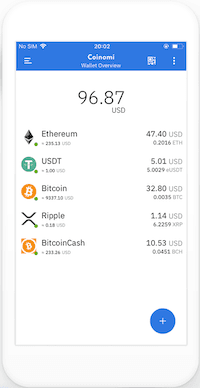
Coinomi Multi Blockchain Wallet
Best for: The Best Crypto Software Wallet for Multi-Coin Support
Exodus
Exodus is a beautiful, beginner-friendly software wallet with a built-in exchange — great for managing multiple coins in one place.
Best for: The Best Crypto Software Wallet for Desktop

Metamask
MetaMask is the most widely used Ethereum and EVM wallet — essential for DeFi, NFTs, and Web3 applications.
Best for: The Best Crypto Software Wallet for Web 3.0
Related Posts
Best Crypto Airdrops 2023
This article is about rumors and speculations about some of the most profitable Crypto Airdrops 2022. Airdrops are a great way to get started to build an initial capital in Cryptos or also to get some free money.
Cold Staking - How to stake with Ledger Hardware Wallet
Step-by-step guide to staking crypto in Ledger Live. Earn passive rewards on proof-of-stake coins while keeping your assets in cold storage.
Cold Staking - How to stake your crypto coins with BitBox02 Hardware Wallet
Learn how to stake your crypto coins with the BitBox02 Hardware Wallet. Staking is a process which rewards holders of Proof-of-Stake (PoS) coins for keeping their wallets open and connected to the network. Find out more in this article.
Get notified when we update this review
No spam. Just a heads-up when something changes.
No spam. Unsubscribe anytime.